Supermarket Billing Software: Pricing and Counter Setup
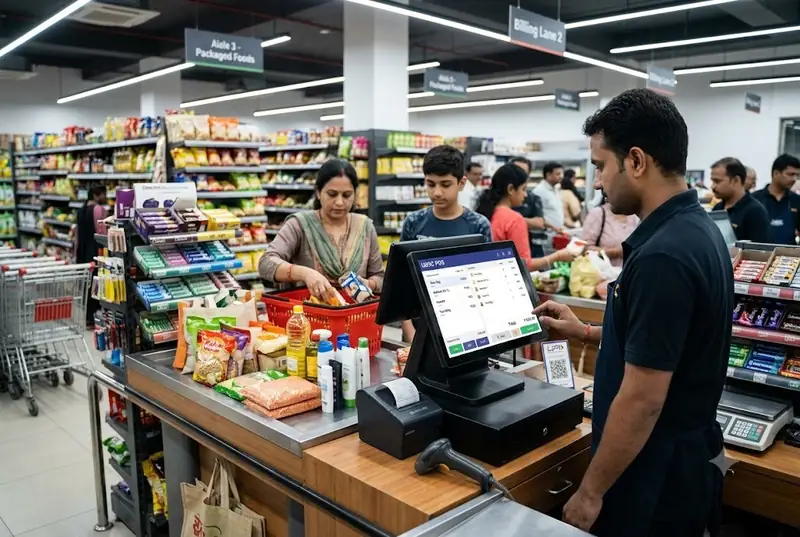
Scan a packet of rice, weigh loose onions and print both on one bill. UBSC Supermarket POS runs offline on a Windows PC and updates stock as you sell. Here’s how to plan the cost and equipment for your counter.
- Works offline
- One-time licence
- No monthly fee
- Remote setup
- Tamil bill printing
Quick answer
How much does a supermarket billing system cost?
UBSC’s Basic plan starts at ₹10,000 for one counter and one core module, with training for two staff roles and 12 months of support. Standard starts at ₹20,000 and includes hardware and printing setup. For a supermarket quote, tell us which features you need and which devices you already own. Ask for software, setup and any new equipment to be itemised.
What slows supermarkets down
Packaged goods with barcodes, loose items sold by weight and offers all need different handling. When the counter is slow, the queue grows and customers leave.
Stock is the other headache. Goods reach their expiry date on the shelf, items run out without warning, and the stock on the computer rarely matches the shelf. Every mismatch is money lost.
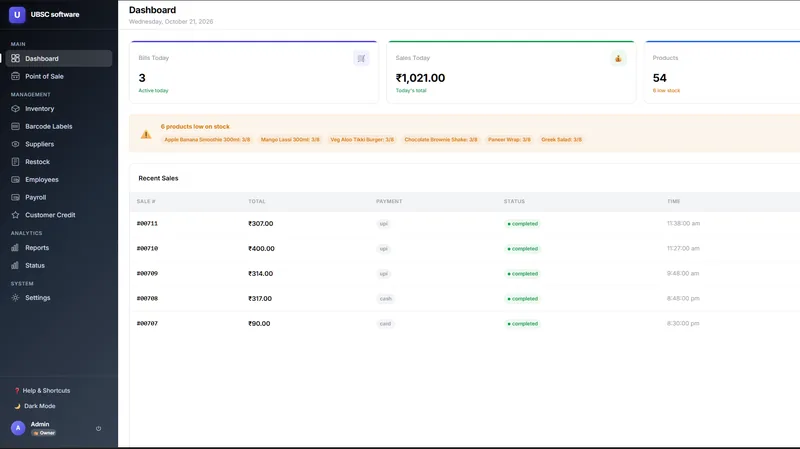
Owners want to know which cashier sold what and what the profit was, without waiting for the accountant.
When each bill updates the stock and the batch dates, the owner sees the shelf as it really is. The oldest goods are sold first, and near-expiry items can be discounted before they go to waste.
A simple test of any billing system is a full queue. During the free demo, ask us to bill a sample queue at your own counter and time it. You will see the taps, the scan speed and the printing for yourself.
Supermarket billing features
Barcode and weigh-scale billing
Scan packaged goods and weigh loose items on the same bill.
Offers and schemes
Set MRP, scheme, combo and item-level discount rules.
Expiry-first stock
Batches and expiry dates are tracked, and the oldest expiry sells first.
Purchases and goods received
Record suppliers, purchase orders and goods received into stock.
Customer credit and loyalty
Track credit customers and their purchase history.
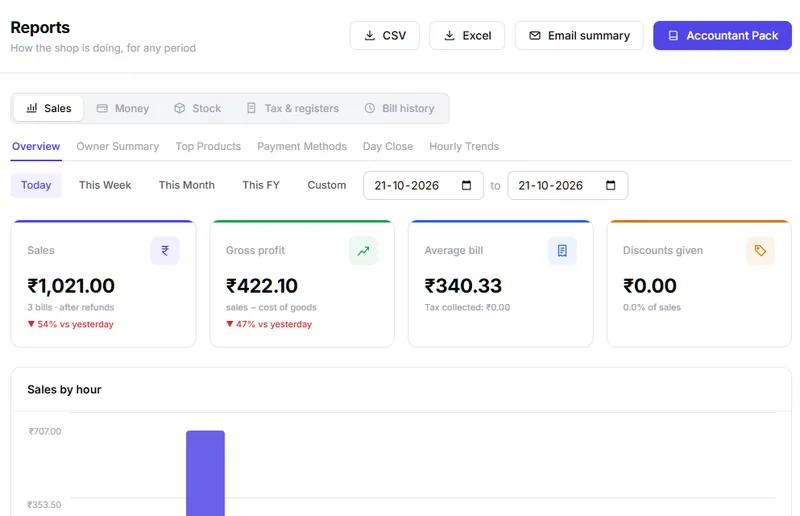
Cashier-wise reports
Sales, stock, expiry and profit reports by cashier and by day.
Roles and audit trail
Cashier, supervisor and owner rights, with a record of who did what.
What equipment does a supermarket billing counter need?
Check your counter PC, scanner and scale
Use a 64-bit Windows PC and a barcode scanner for packaged goods. If you sell loose produce, check whether your scale sends the weight as keyboard input. See the full device requirements.
Choose a receipt printer
Supermarket POS supports 58 mm and 80 mm thermal receipts. Compare the paper widths, then ask to see a sample bill in Tamil or English on your printer model.
Compare the software plans
Check the starting prices and included support before requesting a quote for your counter.
Who it is for
- Grocery and provision stores
- Single-branch supermarkets
- Vegetable and fruit shops that sell by weight
- Stores that sell packaged goods at MRP
- Shops with a counter and a separate stock room
Why supermarkets choose UBSC
Works offline
Billing runs on one counter PC with a local database and automatic daily backups.
One-time licence
No monthly fee and no cloud bill.
Remote setup
We install the software, load your items and train the cashiers in Kanyakumari district and nearby.
Tamil and English support
Ask us on the phone or on WhatsApp, in whichever language you prefer.
Bills your customers can read
Retail bills can print in Tamil or English, with the GST split shown clearly. We set up your shop name, items and bill format with you.
உங்கள் கடை பெயர்
பில் எண்: 1024
- அரிசி 5 கிலோ300.00
- சர்க்கரை 1 கிலோ50.00
- தேங்காய் எண்ணெய் 500 மி.லி150.00
- வரிக்குரிய தொகை500.00
- CGST 2.5%12.50
- SGST 2.5%12.50
மொத்தம்₹525.00
நன்றி, மீண்டும் வருக!
See the software
Frequently asked questions
Can supermarket bills print in Tamil?
Yes. UBSC Supermarket POS can print bills in Tamil as well as English.
Can it handle weigh-scale items?
Yes. Loose items sold by weight are billed on the same bill as packaged goods. Ask us to show the setup with your scale model before you buy.
Does it track expiry dates?
Yes. Stock is kept by batch and expiry date, and the oldest expiry is sold first.
Does it work when the internet is down?
Yes. The software uses a local database on the counter PC, so the counter keeps billing without internet.
Can I see reports by cashier?
Yes. Sales, stock, expiry and profit reports can be filtered by cashier and by day.
How do I get a demo?
Call or WhatsApp UBSC. We show the software on a counter PC and answer your questions in Tamil or English.
Ready for a free demo?
Call or send a WhatsApp message. We will show the software on a counter computer and answer your questions in Tamil or English.