Skip to content
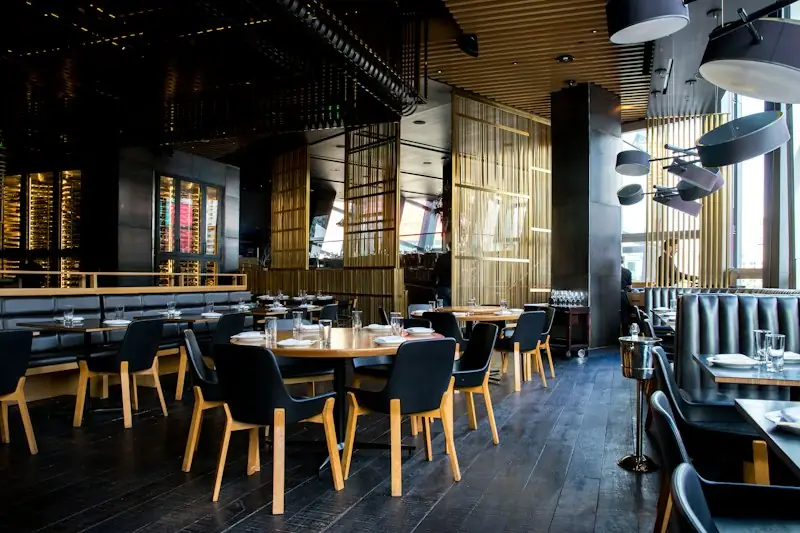
Restaurant dining room ready for service

Restaurant

Restaurant POS Software

Table billing and kitchen orders for restaurants and cafés.

Restaurant POS runs dine-in, takeaway and delivery from one counter. Seat a table, add dishes, send kitchen tickets (KOT), split the bill and close the day — with GST or the composition scheme, and Zomato / Swiggy orders kept apart. It works offline on one PC, with no monthly subscription.

Who it is for

  • Restaurants and cafés
  • Small restaurants on the composition scheme
  • Restaurants taking Zomato or Swiggy orders

What it does

  1. Seat a table
  2. add dishes
  3. send to kitchen (KOT)
  4. split or merge bills
  5. take Cash / UPI / Card
  6. print bill
  7. close the day

Modules

Tables
Floor view of free and occupied tables with the running bill, sections, move table
Point of Sale
Dine-in, takeaway with token numbers on saved orders, and delivery with contact details
Kitchen Tickets (KOT)
Only new or removed dishes go to the kitchen, on its own printer, with reprint
Menu
Dishes with category, price, veg mark, GST rate, and "finished today" switch
Split & Merge
Split a bill by items or into equal shares, merge two tables into one bill
Charges
Service charge, packaging and delivery charges, taxed with the food
GST & Composition
GST bills or bill of supply under composition, with turnover figures for CMP-08
Platform Orders
Zomato / Swiggy orders kept out of your GST register, with their own report
Stock & Purchases
Product stock, suppliers, purchase orders and restock
Reports & Day Close
Sales by order type, payment mix, cash count and day-closing report

More features

Quick setup
Add a sample menu of 21 dishes, and up to 60 tables at once.
Staff meal bills
A bill can be made free as a staff meal with a manager or owner PIN.
Equal bill split
Split a bill into 2 to 10 equal shares, each paid by its own method.
Cancel an open order
Cancel with a reason. Cancelled lines stay in the audit trail.
Removing a sent dish
A cancel goes to the kitchen at the next send.
Day close check
Day close lists the tables with open dishes until they are paid or cancelled.
Till shortcuts
F8 sends to the kitchen, F5 opens payment, F2 holds a bill and F6 prints the receipt.

What makes it different

The kitchen gets only what changed.

Send to kitchen prints just the new or cancelled dishes, so nothing is cooked twice.
Bills that split the way guests pay.

Split by items or into equal shares, each with its own payment, or merge two tables into one bill.

GST, composition and platforms handled.

Bill with GST or under the composition scheme, and keep Zomato / Swiggy orders out of your register.

Works without internet.

Orders are saved on the counter PC as you go, so billing carries on when the net goes down.

Reports and printouts

Reports

  • Sales by order type (dine-in, takeaway, delivery)
  • Composition turnover by month and quarter
  • Platform orders by platform and month
  • Day closing report
  • Payment mix
  • Sales and GST reports

What it prints

  • Customer bill (thermal or A4 GST invoice)
  • Kitchen order ticket (KOT)
  • Bill of supply under composition
  • Platform order slip (Zomato, Swiggy)
  • Day closing report

Staff logins

Cashier
Seats tables, takes orders, sends to the kitchen and takes payment.
Supervisor
Cancels an order with dishes, and approves removing a sent dish.
Manager
Tables and dishes, and the PIN for staff meals and removing charges.
Owner
Charges, tax mode, composition scheme, FSSAI number and users.

At a glance

Runs on
Windows desktop (counter PC / laptop)
Needs
receipt printer, optional kitchen printer — no server, no internet
Data
stored locally, with automatic daily backups
Printing
thermal bill, kitchen tickets (KOT), A4 GST invoice

Devices that work with it

  • 58 mm or 80 mm thermal receipt printer
  • Second thermal printer for kitchen tickets, optional
  • A4 printer for the GST tax invoice
  • Paytm Soundbox or QR for UPI, optional

How your data is protected

  • Automatic backup when the app closes and once a day, with 7 kept
  • Backups are encrypted and need a recovery key on another PC
  • Tamper-evident audit log
  • Kitchen tickets are stored, so a reprint shows what was sent

What your computer needs

Computer
Windows, 64-bit
Database
SQLite file on the counter PC
Internet
Not needed for billing

Restaurants deserve billing that keeps up with the rush, from the table to the kitchen.

Ready to run Restaurant POS?

Tell us about your restaurant setup and we will scope it in a day.

Frequently asked questions

Does Restaurant POS support kitchen order tickets?

Yes. Only new or removed dishes go to the kitchen on its own printer. Tickets can be reprinted.

Does Restaurant POS handle Zomato and Swiggy orders?

Yes. These orders are kept out of your GST register and have their own report.

Can Restaurant POS split a bill?

Yes. A bill can be split by items or into equal shares. Two tables can also be merged into one bill.

Does Restaurant POS support the GST composition scheme?

Yes. It can bill under the composition scheme and shows the monthly and quarterly turnover you need for your CMP-08 return.

Does the kitchen get the whole order each time?

No. Each send prints only the dishes added or removed since the last send.

Can a dish that has run out be stopped?

Yes. Tick Finished today on the Menu. No order can add the dish until midnight.

Can a bill be free for staff meals?

Yes, with a manager or owner PIN. It is not counted as a sale.