Skip to content
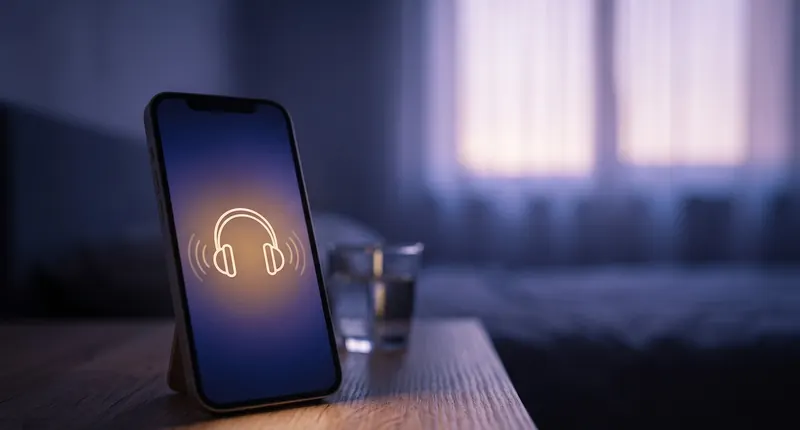
Phone on a bedside table glowing with a headphone chime icon

Mobile

GentleCue

The daily-routine reminder that just chimes — no notifications, no popups, no noise.

GentleCue is an offline-first Android app for daily routines — wake-up, prayer, medicine, study, water breaks. Set a time, pick a soft chime, and the phone plays it at the exact minute — even in Doze, even with the app closed. When the time passes, it re-arms itself for tomorrow. Nothing to clear, nothing to dismiss.

Who it is for

  • Wake-up routines
  • Prayer times
  • Medicine reminders
  • Study breaks
  • Water breaks

What it does

  1. Add a time
  2. pick a gentle chime
  3. toggle it on
  4. hear a short chime at the exact time every day

See the software

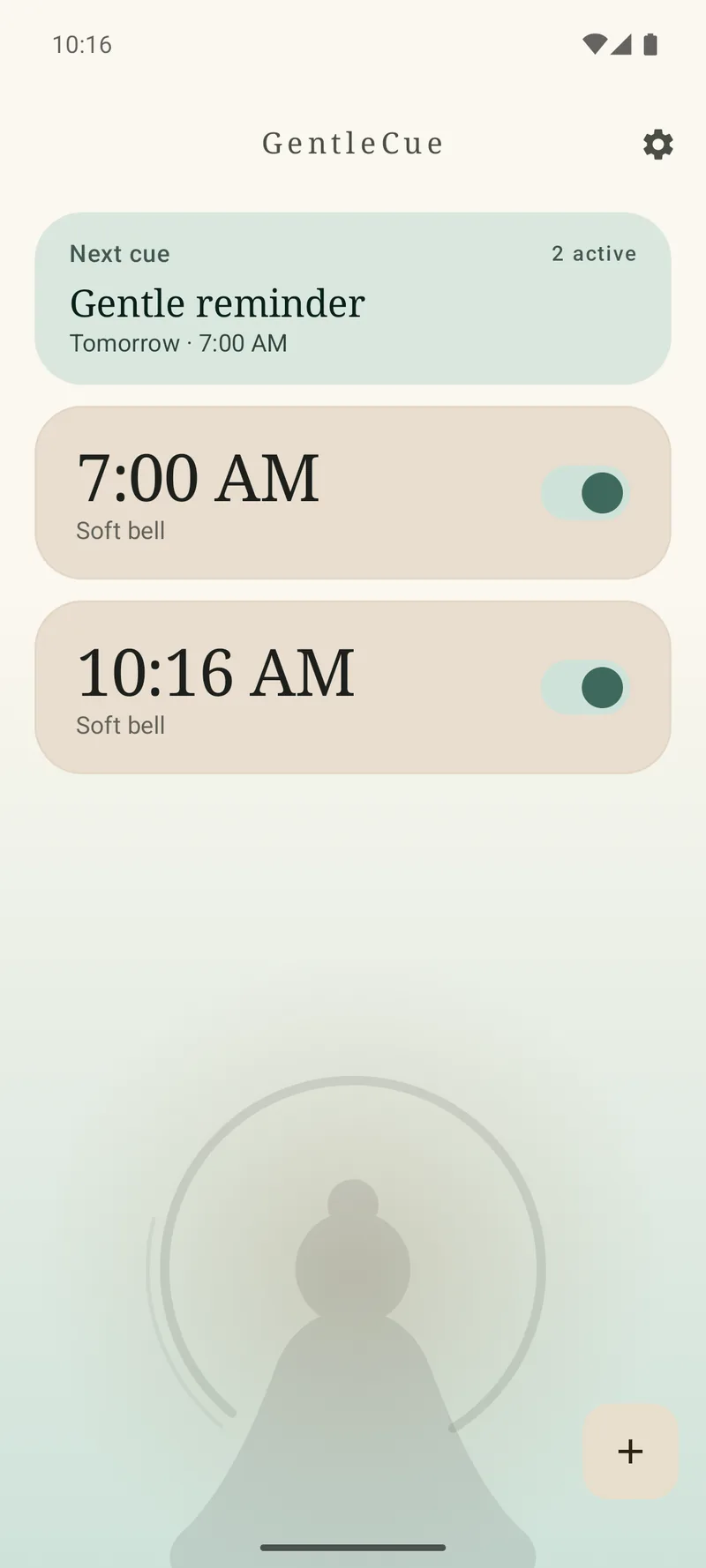
GentleCue home screen with the next cue and two daily cues with on and off switches
Home screen: the next cue and every daily time, each with its own switch.

Modules

Cue List
One-screen home — all times with chime name, on/off switch, live next-cue summary card
Add / Edit Cue
Native time picker + gentle chime chips with instant preview
Cues On / Off
Per-cue enable switch — schedule and cancel happens instantly in the background
Swipe Delete + Undo
Swipe to delete with snackbar Undo, delete from the edit dialog too
Sound Library
Full-screen library to preview all chimes before choosing
Onboarding
3-step first-run guide with one-tap exact-alarm and battery-exemption hand-off
Attention Banner
Appears only when something is wrong — missing permission or battery kill risk
Exact Alarm Engine
One one-shot exact alarm per cue, re-armed daily, fires in Doze, survives reboot / time-zone change
Chime Player
Lightweight SoundPool playback (~2.3 s), no resident service, no wake lock
Local Storage
Room (SQLite) as single source of truth — no cloud, no account, no analytics

More features

Test in 10 seconds
Before you save a cue, test the chosen sound 10 seconds from now.
Optional cue name
Each cue can have a short name, such as morning coffee.
Comes back by itself
Cues set themselves again after a restart, an update or a clock change.
12 or 24-hour clock
Times follow the setting on your phone.

What makes it different

Silent by design.

No notification-shade spam, no full-screen alarm to dismiss. Just a short gentle sound and done.
Exact even in Doze.

Uses setExactAndAllowWhileIdle with a goAsync receiver — the chime fires at 4:00 AM with the phone asleep.

Stays in sync.

Only one place can schedule alarms, and the list renders straight from the database — a cue never looks on but fails to ring.

Feather-light.

About 1.2 MB app file, one DEX, no Hilt, no Firebase, no navigation library. Zero battery drain when idle.

At a glance

Runs on
Android 8.0+ (SDK 26 to 35)
Needs
nothing else — no server, no internet, no account
Data
stored locally on-device (Room / SQLite)
Sounds
6 built-in gentle chimes, previewable anytime

How your data is protected

  • Cues are stored only on the phone
  • No cloud, no account and no analytics

What your computer needs

Phone
Android 8.0 or newer
App size
About 1.2 MB
Internet
None. The app has no internet permission

Gentle reminders for the routines that matter.

Ready to run GentleCue?

Tell us about your mobile setup and we will scope it in a day.

Frequently asked questions

Does GentleCue work offline?

Yes. It is an offline-first Android app with no server, no internet and no account needed.

Does GentleCue chime in Doze mode?

Yes. Each cue uses an exact alarm that fires in Doze, even with the app closed, and it survives a reboot.

Which Android versions does GentleCue support?

It runs on Android 8.0 and newer, from SDK 26 to 35.

How many chimes does GentleCue have?

It has 6 built-in gentle chimes: Soft bell, Warm pad, Glass tap, Wood mallet, Singing bowl and Water drop. You can preview each one before choosing.

Will my cues still work after a restart?

Yes. They are set again after a restart, an app update or a clock change. After a restart, unlock the phone once.

Can I name a cue?

Yes. The name is optional and is shown on the cue list.